
List, Compact, Board, Map and Gantt
Look at the same jobs five ways. Switch views at the top of the Main Inbox and Workers' Jobs; Operacora remembers your choice.
The Main Inbox and Workers' Jobs can each be shown five ways. Need Parts and Completed Jobs offer List and Compact. Switch with the buttons at the top right of the page. Your choice is remembered for you in this browser, and you can set how each page opens in Display.
List#
The standard view: one card per job with its picture, room, priority, description, categories and quick actions such as Quick assign and Parts arrived. Best for working through new requests.
Compact#
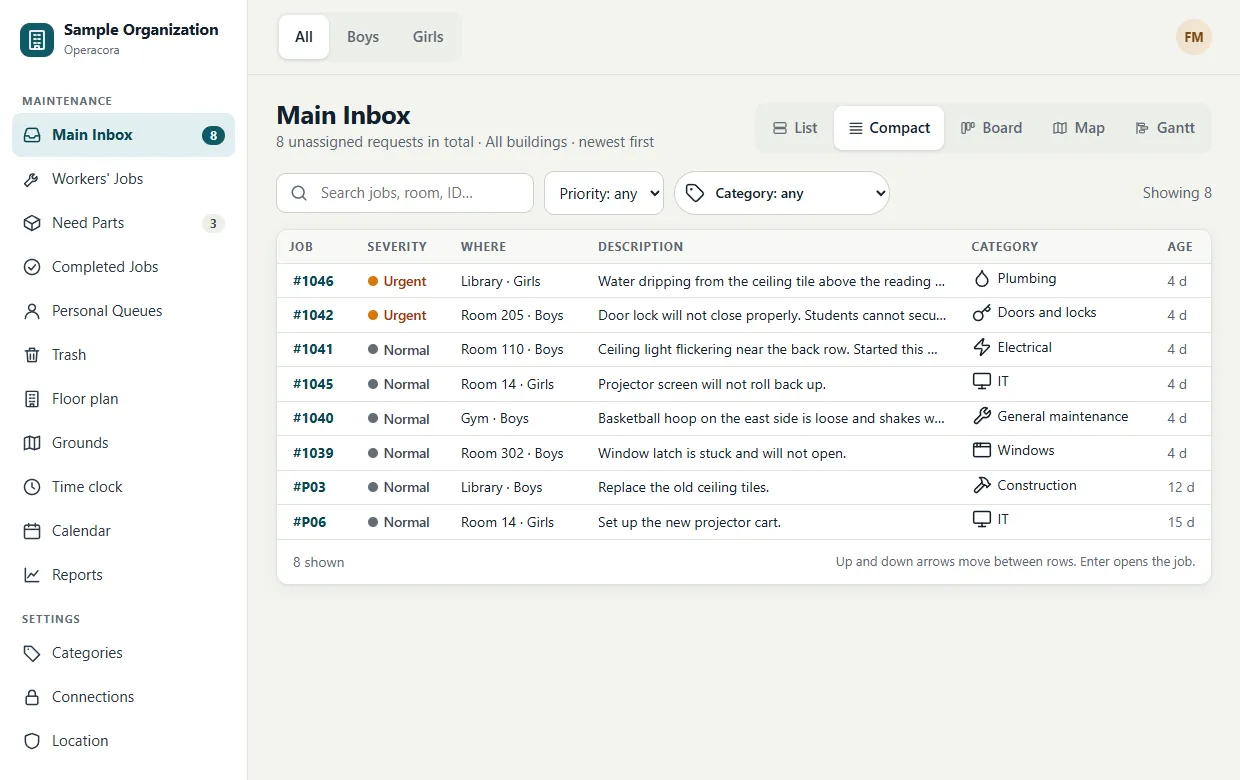
One dense row per job: number, severity, room and building, the start of the description, category, worker and age. Best for scanning a long list. Click a row or press Enter to open it; use the ↑ and ↓ arrow keys to move between rows.
Board#
A Kanban board with four columns: New (the Main Inbox), Assigned, Need parts and Done (today, or the last 7 days). Each column shows its count, and the top shows the total of open work.
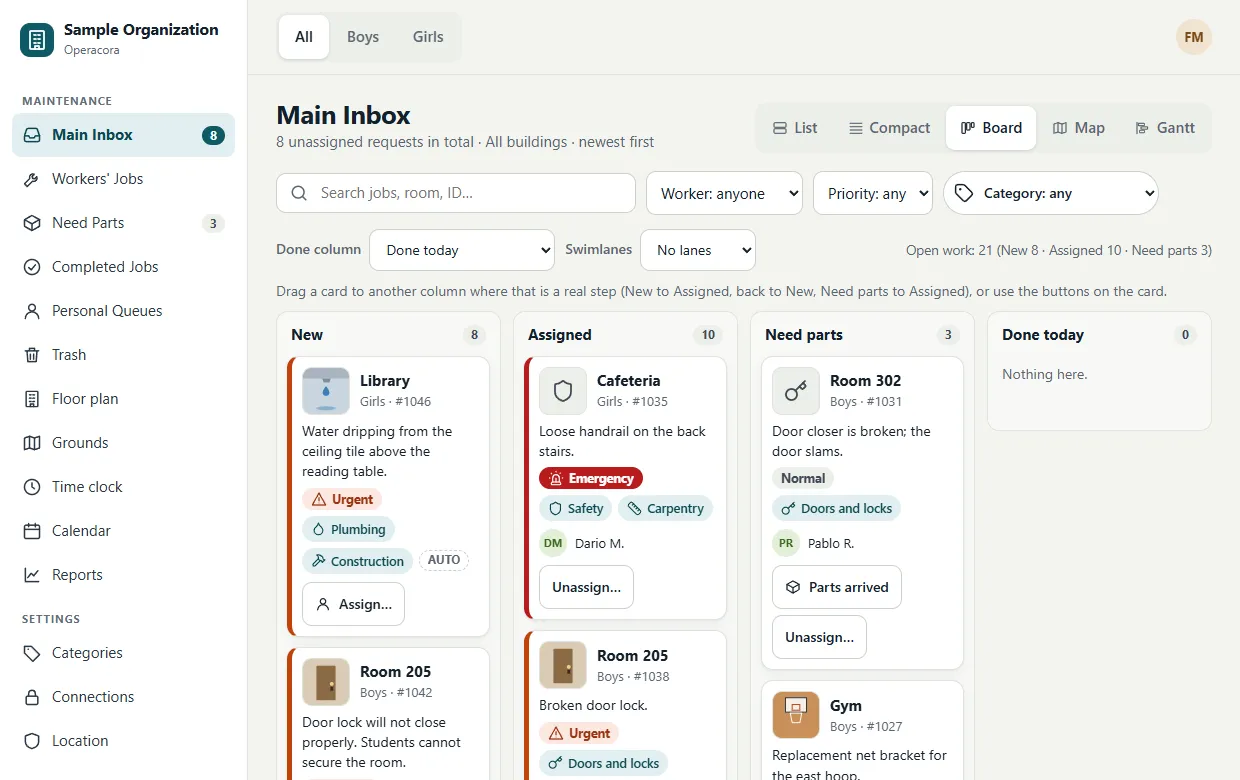
You can drag a card only where that is a real step:
- New → Assigned: opens the worker picker.
- Assigned or Need parts → New: unassigns it, after you confirm.
- Need parts → Assigned: marks the parts as arrived.
Other drops are refused, and the column tells you why. For example, a job can't be dragged to Done because completing it needs a photo, and only the worker marks Need parts. Hover over or focus a card to see where it can go. You never have to drag: every move has a button on the card.
Use the menus above the board to show Done for today or the last 7 days, and to split the board into lanes by building (when All is selected) or by priority. On a phone, the board shows one column at a time with buttons to switch.
Map#
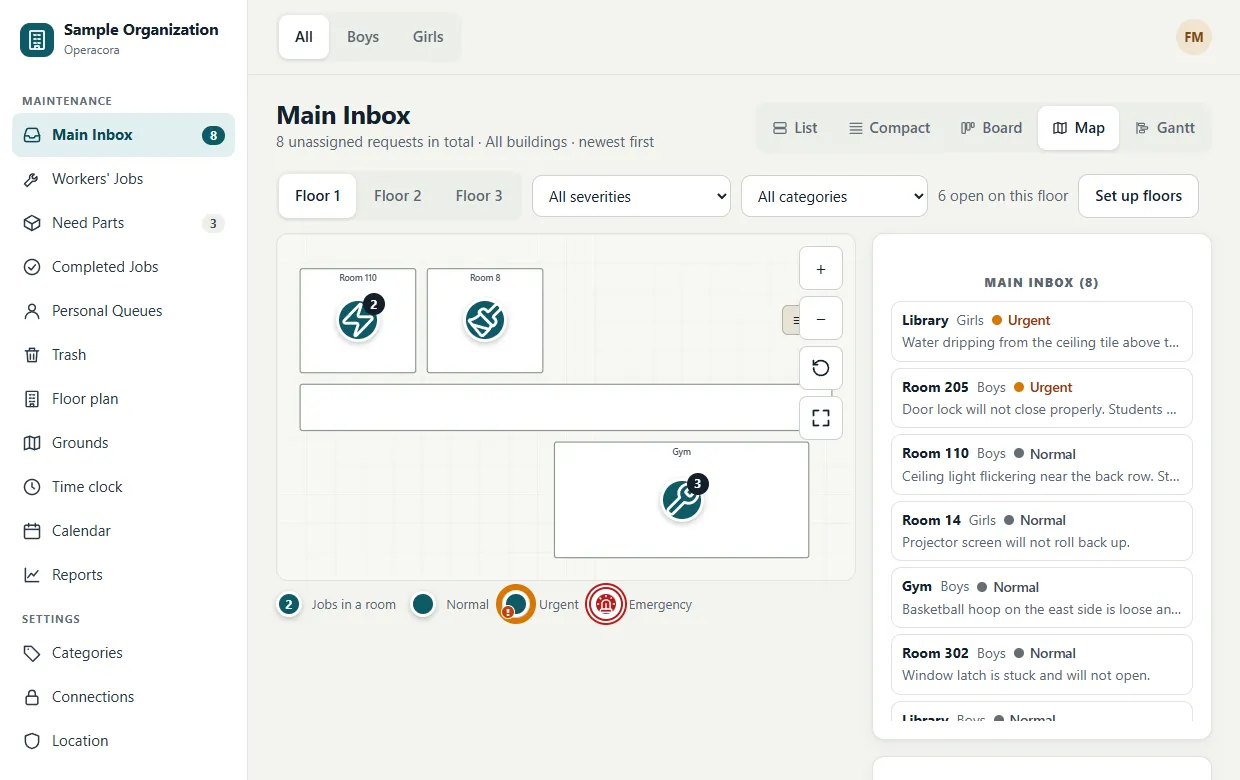
The page's jobs on your floor plan, with the list beside it. Pick a floor, zoom, and click a pin to see the jobs in that room. See Floor plans.
Gantt#
A timeline of planned work. Each job with a planned start and end is a bar; a due time is a small diamond (red when overdue), and a line marks now.
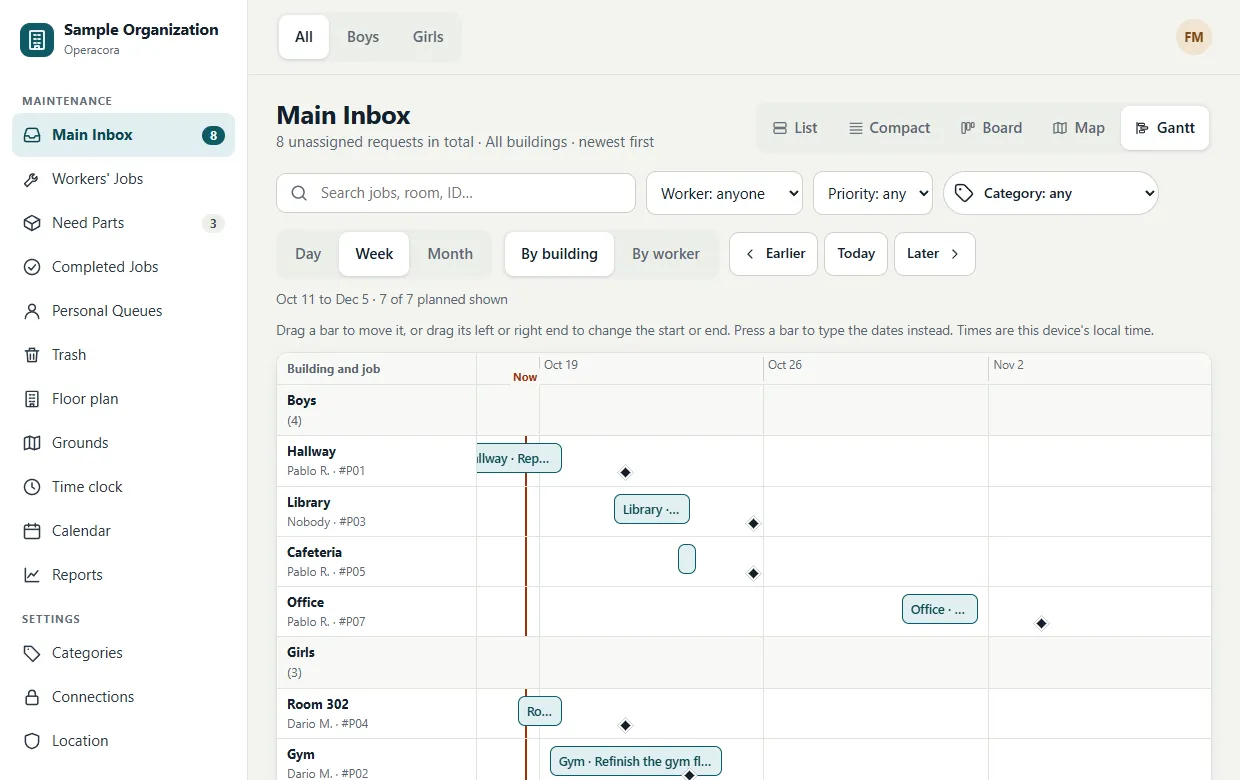
- Group rows By building or By worker, and zoom to Day, Week or Month. Move in time with Earlier, Today and Later.
- Drag a bar to move it, or drag either end to change its start or end. It snaps to the hour at Day zoom and to the day otherwise.
- Press a bar to open a dates dialog instead of dragging.
- Open jobs with no plan yet are listed below the chart, each with a Schedule button.
- Completed bars cannot be moved.
If someone else changed the job while you were moving it, Operacora says "That job changed…" and shows the latest, so nobody's change is lost. Reports also has a Gantt tab that includes work completed in the last 60 days.
Which view when?#
| You want to… | Use |
|---|---|
| Read and assign new requests one by one | List |
| Scan 50 jobs quickly | Compact |
| See where work stands at a glance | Board |
| Group jobs by where they are | Map |
| Plan the week or a project | Gantt |