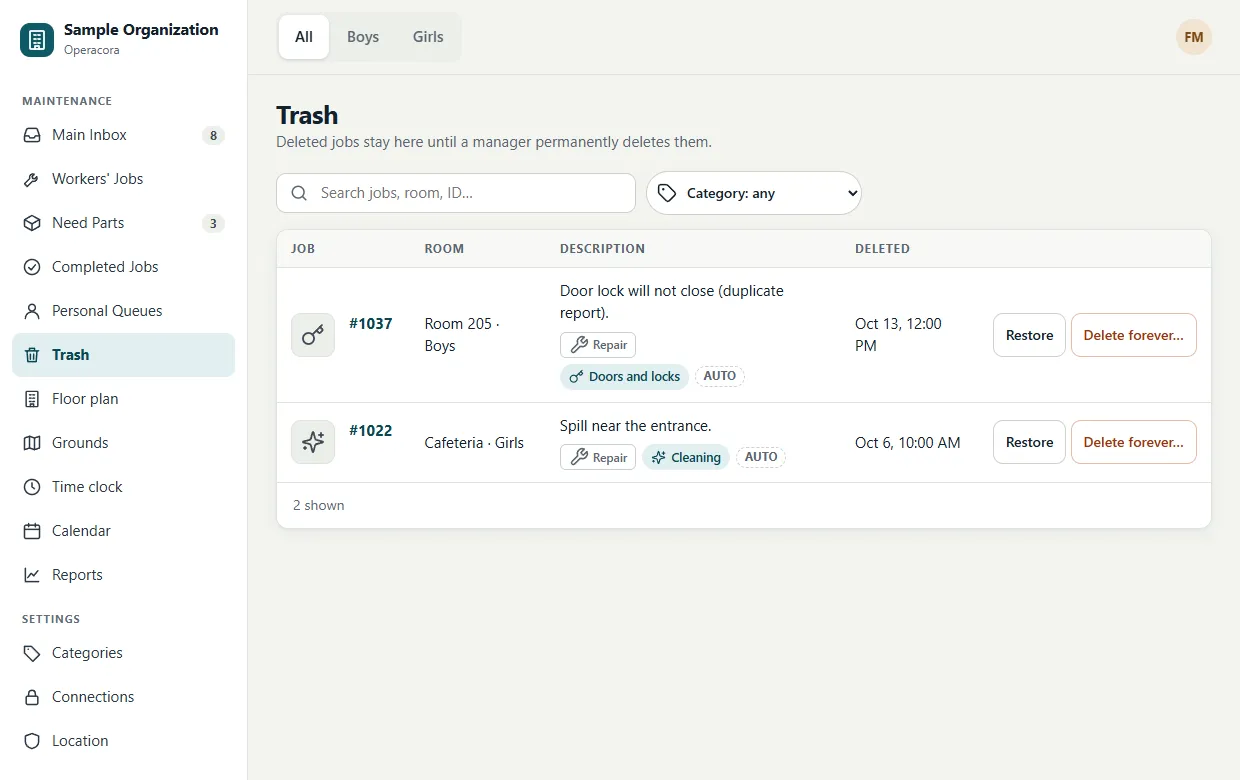
Workers' Jobs, Need Parts, Completed, Personal queues and Trash
Where jobs go after the Main Inbox: with a worker, waiting for parts, finished, in a manager's personal queue, or deleted.
A job moves through a few simple stages. The left menu of the web app has one list for each.
| List | What is in it |
|---|---|
| Main Inbox | New jobs nobody has yet. See Main Inbox. |
| Workers' Jobs | Jobs with a worker: active ones, and those waiting for parts. |
| Need Parts | Jobs a worker paused until something arrives. |
| Completed Jobs | Finished jobs, with their photo proof. |
| Personal Queues | Unassigned jobs a manager is handling personally. |
| Trash | Deleted jobs, until they are restored or deleted for good. |
Workers' Jobs#
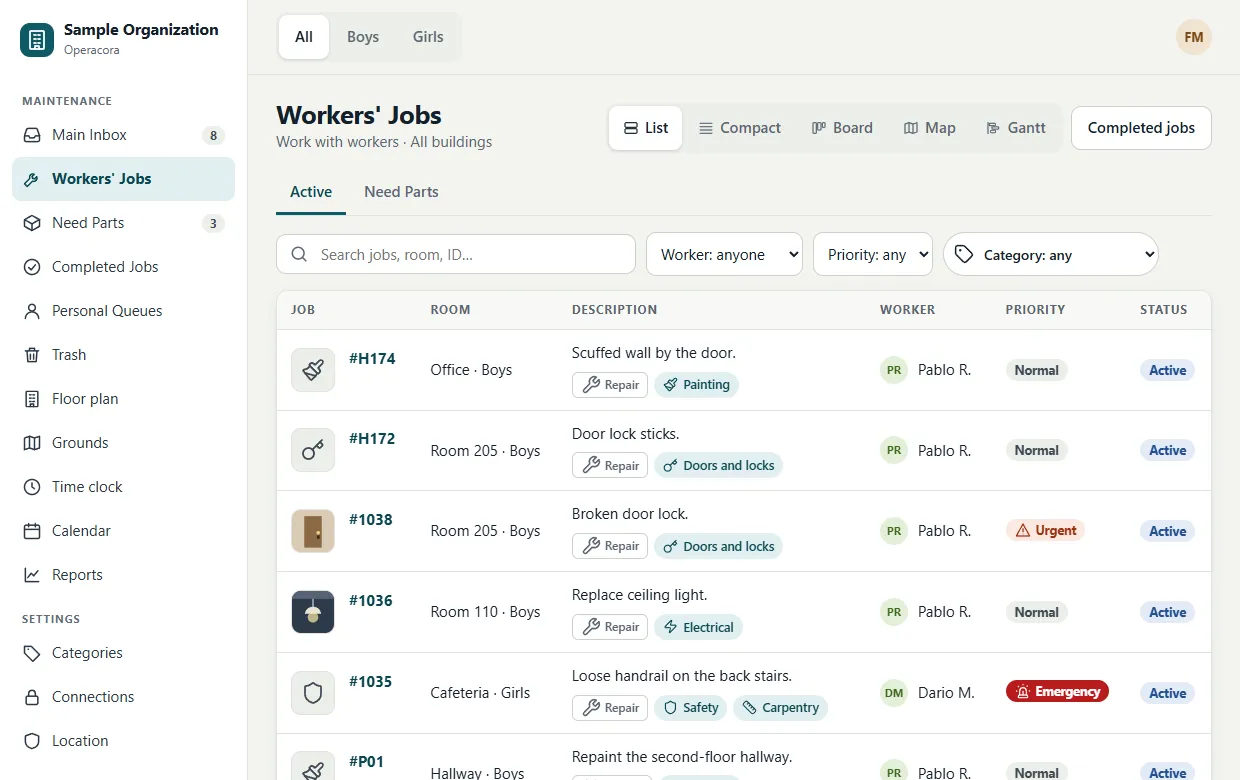
Everything that is with a worker right now, on two tabs: Active and Need Parts. Filter by worker, priority or category to see who has what, open a job to unassign it, or switch to the Board, Map or Gantt view. Workers only ever see their own jobs.
Need Parts#
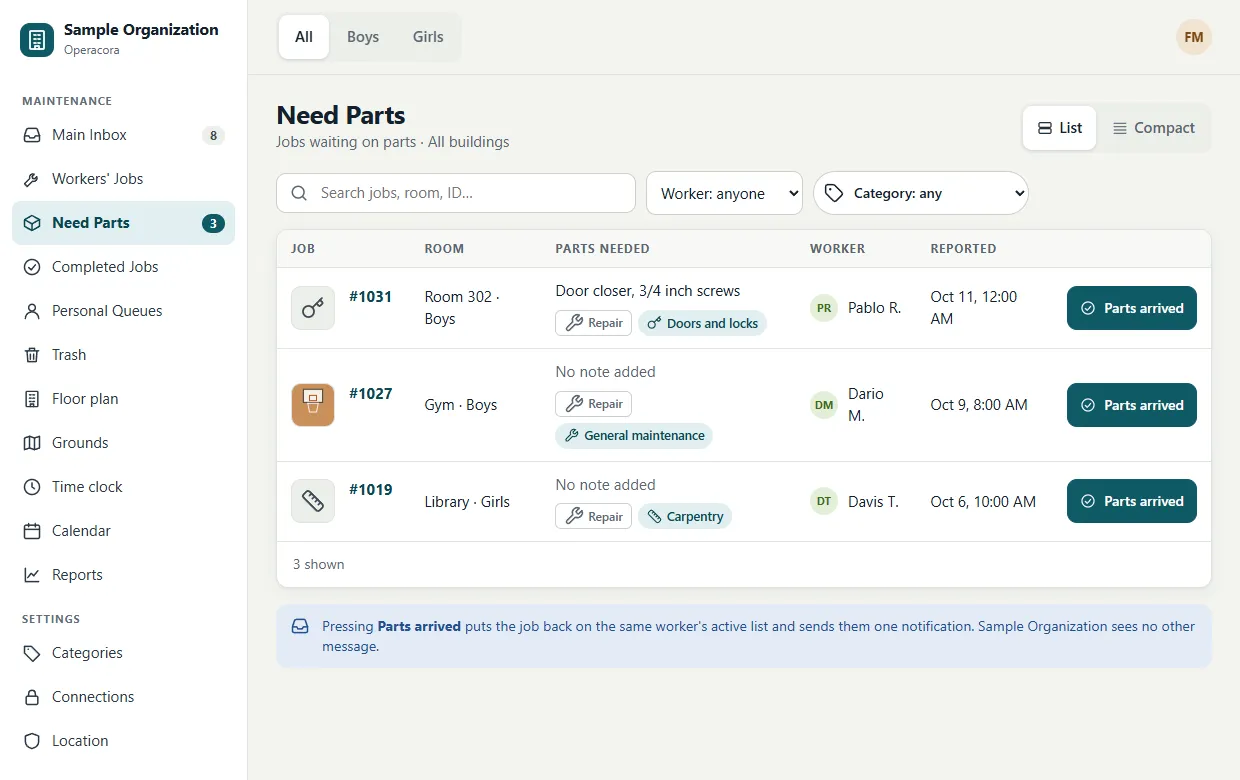
When a worker can't finish because something has to be bought or delivered, they press Need Parts on their phone, usually with a note ("needs a 3/4 inch valve") and sometimes a photo. The job stays with that worker and appears here.
- Read the note and get the part.
- When it arrives, press Parts arrived on the job (in the list or on its page).
- The job goes back to the worker's active list so they can finish it.
A worker can also complete a job straight from Need Parts if they found the part themselves.
Completed Jobs#
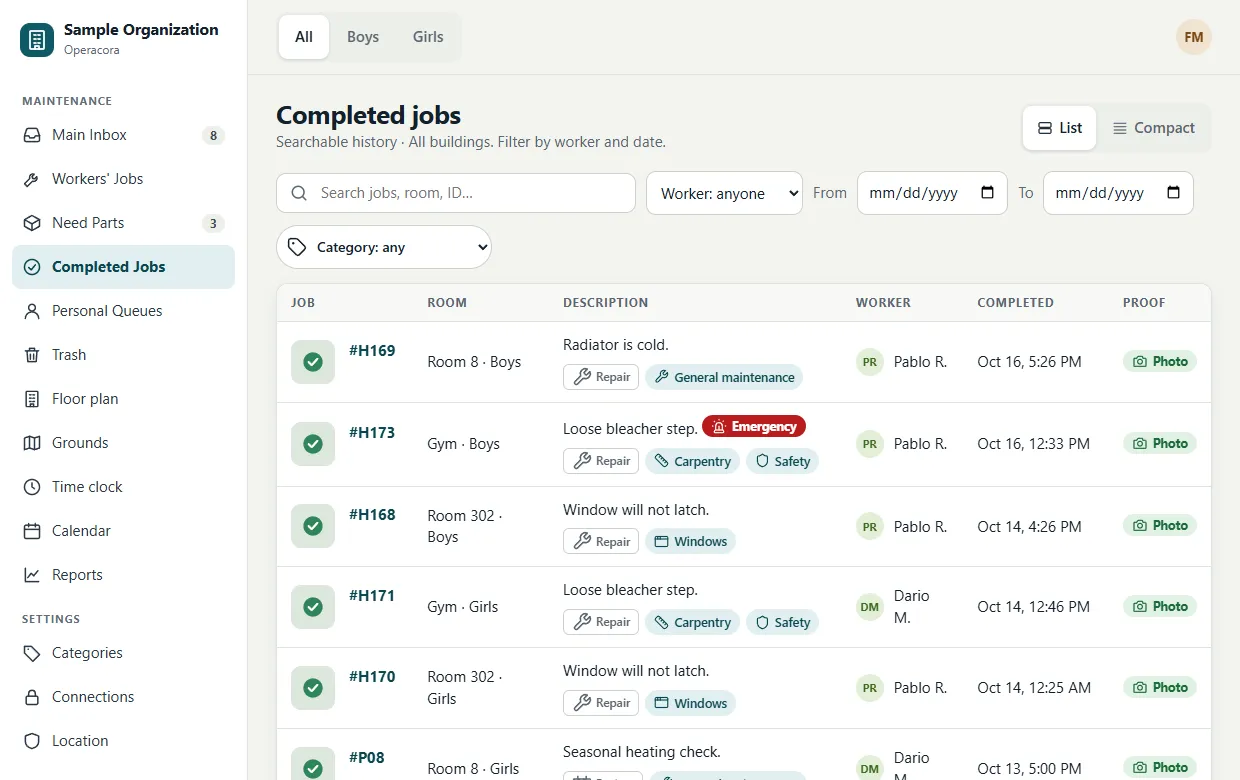
Every finished job stays here with its completion photo, the worker's note and when it was done. If something is not right, open the job and press Reopen. It goes back to the Main Inbox, unassigned (not straight back to the same worker), and the earlier completion and photo stay on record. Only managers can reopen.
Personal queues#
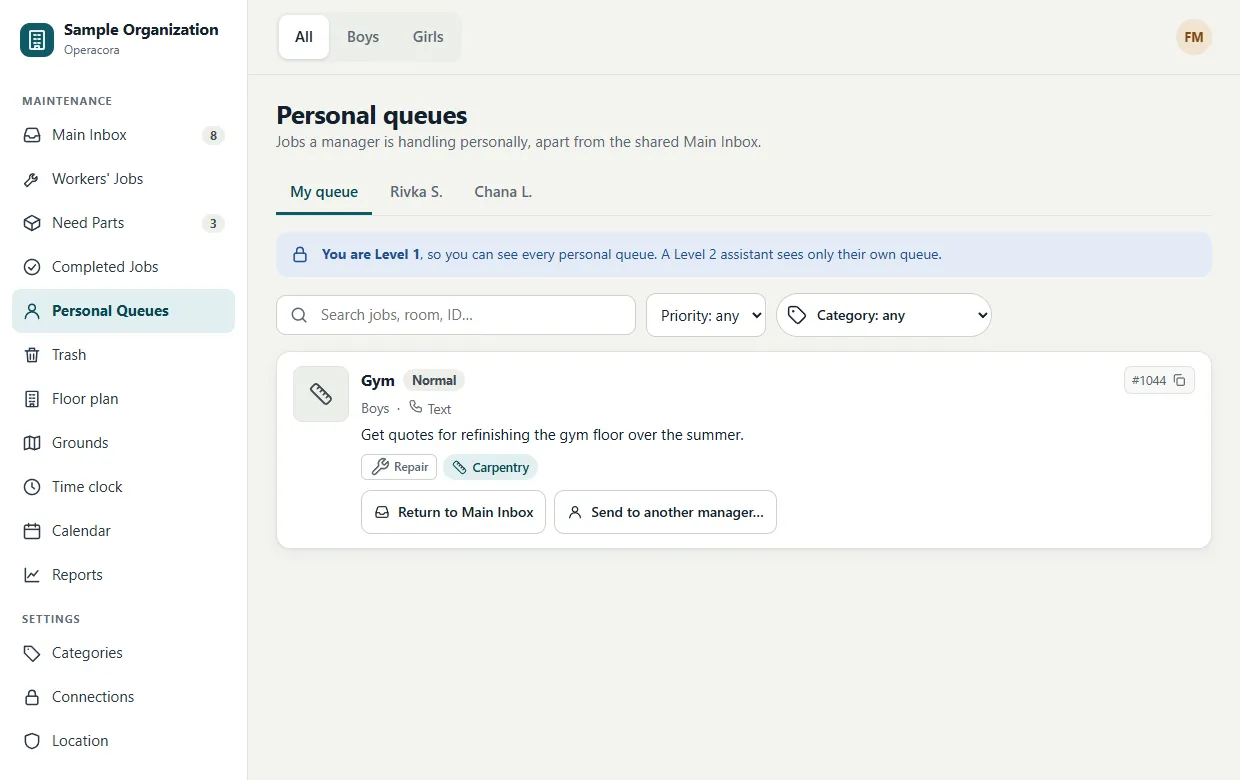
A personal queue is a manager's own list of unassigned jobs they are handling themselves, apart from the shared Main Inbox. For example, a job the facility manager wants to deal with in person.
- The top-level manager sees every personal queue and can switch between them with the tabs at the top.
- Other managers see only their own queue (My queue), never a peer's.
- Press Return to Main Inbox to put a job back in the shared list.
- The top-level manager can press Send to another manager… to move a job into the queue of someone ranked below them.
Moving a job from the Main Inbox into a personal queue from the web app is Coming.
Trash#
Deleting a job never removes it straight away. It moves to Trash, where managers can:
- Restore it: it goes back to the Main Inbox, unassigned. A job that had been completed comes back open; its old completion stays on record.
- Delete forever: you are asked twice, and the second time you must confirm again. This cannot be undone.
A job deleted from someone's personal queue stays private in Trash too: only that manager and the top-level manager see it.