
What Operacora is
Operacora keeps every job, room and person in one place: problems come in, managers send the right person, and work is finished with a photo.
On this page
Operacora is an operations app for organizations that look after buildings or send people out to do work: schools and campuses, property teams, facilities teams, trades and crews. It replaces the pile of group chats, sticky notes and spreadsheets with one shared list of work that everyone can trust.
The idea in one minute#
- Someone reports a problem. A staff member taps Report a problem in the phone app, says where it is and what is wrong, and can add photos. It becomes a job in the Main Inbox. Requests sent by text message or email are Coming.
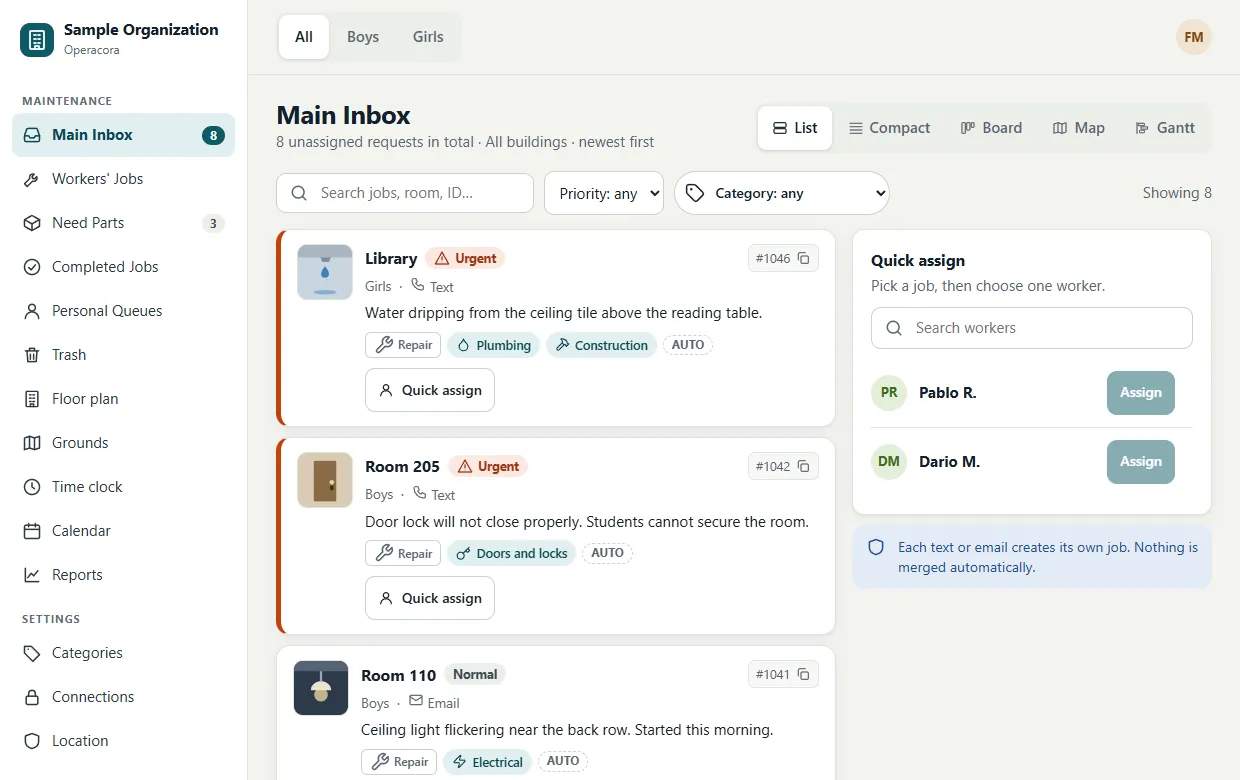
- A manager sends the right person. Managers see every new job, its room and its priority, on a list, a board or a floor-plan map, and assign it to one worker.
- The worker does it and proves it. The job appears on the worker's phone. When it is done, they take a photo and press Complete. A job cannot be completed without a photo.
- Everyone stays in step. Managers see what is open, what is waiting for parts and what is finished, on calendars, charts and reports.
Two apps that work together#
| App | Who uses it | What it is for |
|---|---|---|
| Web app at app.operacora.com | Managers, on a computer or tablet. Workers can use it too. | The Main Inbox and every job list, floor plans and the grounds map, the calendar, reports, the time clock and settings. |
| Phone app (Android today, iPhone Coming) | Workers, and managers on the move. | Today's jobs, finishing jobs with a photo, reporting a problem, clocking in and out, a map, your hours and your agenda. |
Both apps use the same account and the same data. See Install the apps.
Ranks: who sees what#
Every organization has ranks (levels), from the top manager down to workers. The sample organization has three: a facility manager at Level 1, assistants at Level 2, and workers.
- You can see and act on the work of people ranked below you.
- You cannot see the private lists of people at your own rank. For example, one assistant does not see another assistant's personal queue.
- Workers see only the jobs assigned to them.
These rules are checked by Operacora's server on every request, not just hidden on the screen.
Places, rooms and spots#
Your organization has one or more places (buildings, campuses or sites; you choose the word). The switch at the top of the web app, for example All · Boys · Girls in the sample organization, shows one place or all of them. Inside a place, jobs belong to rooms on your floor plans. Outdoor jobs sit at a spot on the grounds map. See the glossary for every word.
What makes it different#
- Fast. The phone app keeps a copy of your jobs on the phone. It opens instantly and keeps working when the signal drops; your actions are sent as soon as it is back.
- Your accounts, your costs. Optional outside services (maps, AI, texting, email) use your organization's own accounts, so you pay those providers directly, with no markup. See Connections.
- Private by design. Each organization's data is kept separate, keys are encrypted, and photos are never public links. See Privacy and security.
- Any kind of work. Repairs, installs, projects, room setups, moves, inspections. Dozens of categories with icons, plus your own.
What is planned#
These are on the roadmap and are not part of the app yet: requests by text message and email Coming, the iPhone app Coming, Spanish in the phone app Coming, two-way sync with Google Calendar and Outlook Coming (subscribe links work today), team chat with voice notes Coming, inspections and supplies Coming.